
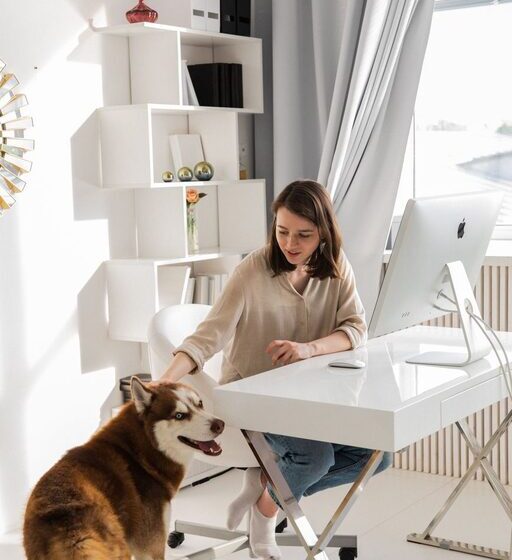

Working from home has become a common part of many people’s lives, making a well-designed home office more important than ever. Creating a space that promotes productivity while keeping you comfortable can significantly improve your workday experience. Whether you have a dedicated room or a corner in your living space, these tips will help you set up an efficient and comfortable home office environment.
Choose the Right Location
Selecting the right spot for your home office is the first step toward a productive workspace.
– Quiet and distraction-free: Find a space that minimizes noise and interruptions. This could be a spare room, a section of your bedroom, or a quiet corner in your living room.
– Natural light: Choose a spot near a window if possible. Natural light improves mood, reduces eye strain, and helps regulate your body clock.
– Accessibility: Ensure your workspace is easily accessible so you can start work quickly and avoid wasting time setting up each day.
Invest in Ergonomic Furniture
Comfort plays a huge role in how productive you feel at your desk.
– Ergonomic chair: Select a chair that supports your lower back and promotes good posture. Adjustable features for height, armrests, and tilt help customize the fit.
– Desk height: A desk at the right height allows your elbows to rest at about a 90-degree angle. Adjustable desks or sit-stand desks can offer flexibility during the day.
– Keyboard and mouse placement: Position these tools so your wrists are straight and your hands are at or slightly below elbow level.
Organize for Efficiency
A clutter-free space makes it easier to focus and work efficiently.
– Declutter regularly: Clear your desk of unnecessary items to create a clean workspace.
– Storage solutions: Use shelves, drawers, or organizers to keep documents and office supplies neatly stored.
– Digital organization: Keep your computer desktop and files well-organized to minimize distractions and improve workflow.
Control Lighting and Reduce Eye Strain
Good lighting reduces fatigue and improves focus.
– Combination lighting: Use a mix of natural and artificial light. Position your desk lamp to shine directly on your work without causing glare on screens.
– Screen settings: Adjust brightness and contrast on your monitors to comfortable levels. Consider using blue light filters or apps to reduce eye strain.
– Take breaks: Follow the 20-20-20 rule — every 20 minutes, look at something 20 feet away for 20 seconds to rest your eyes.
Personalize Your Workspace
Adding personal touches can make your home office inviting and inspiring.
– Plants: Indoor plants boost air quality and add life to your workspace.
– Decor: Choose art, photos, or colors that inspire you without causing distraction.
– Comfort items: A cozy blanket, a cushion for your chair, or a favorite mug can make your office feel personal and comfortable.
Manage Noise and Distractions
Staying focused can be harder at home. Address noise and distractions proactively.
– Noise-canceling headphones: These help block out household noise or background sounds.
– White noise machines: These devices create consistent background sounds that can improve concentration.
– Set boundaries: Communicate your work hours to family or housemates to minimize interruptions.
Ensure Proper Ventilation and Temperature Control
A comfortable climate helps maintain focus and prevents discomfort during long work sessions.
– Ventilation: Keep windows open when weather permits or use a fan to circulate fresh air.
– Temperature: Keep the room at a comfortable temperature, generally between 68–72°F (20–22°C).
– Humidifiers: In dry climates, a humidifier can prevent dry skin and irritation.
Establish a Routine and Clear Workspace Rules
Creating habits helps your brain switch into work mode and stay productive.
– Set working hours: Stick to regular start and end times for your workday.
– Designate the office for work only: Avoid using your workspace as a lounge area or hobby corner.
– Break schedule: Plan for regular breaks away from your desk to rest your mind and body.
Utilize Technology to Stay Connected and Efficient
Having the right technology tools can enhance your productivity.
– Reliable internet: Ensure your connection is fast and stable for virtual meetings and online tasks.
– Communication apps: Use tools like video conferencing, chat, and project management apps to stay connected with colleagues.
– Backup and security: Protect your data with regular backups and secure passwords.
—
Creating a comfortable and productive home office doesn’t require a huge investment or major renovations. By thoughtfully choosing your space, investing in ergonomic furniture, staying organized, and managing your environment, you can make working from home a positive and effective experience. Start with small changes and adjust as needed to find the setup that works best for you. Happy working!